
What You'll Get in This Blog
The Muscle Town (TMT) runs on Workzish, including biometric door access. When the firmware on its ZKTeco devices was upgraded, the connection between those devices and Workzish needed attention. What started as a fix for one customer became a product: Workzish Cloud Gateway.
At a glance
- Customer: The Muscle Town (TMT), on the Workzish Enterprise plan
- Setup: four biometric door devices
- Challenge: a ZKTeco firmware upgrade broke the old way the devices talked to Workzish
- Solution: Workzish Cloud Gateway, our own ADMS device gateway
- Result: devices connect straight to the cloud with no middleware, needing only internet and power
The challenge
Until now, Workzish talked to biometric devices through a local setup: a dedicated PC running ZKTeco BioTime, plus the Workzish Gatekeeper, the middleware that relays device data to the cloud.
Then the firmware on the ZKTeco devices was upgraded, and the communication changed with it. The Gatekeeper had to be rewritten. The real difficulty was BioTime: our link to the devices was built around it, and we struggled to keep the communication dependable.
The decision
Patching around a middle layer we do not control would have solved one problem and left the same dependency in place for every customer. So we made a different choice: build our own gateway that speaks ADMS, the way ZKTeco devices push data to a server, and cut BioTime out of the path completely.
The solution
We designed and deployed Workzish Cloud Gateway for TMT. The devices connect to the gateway over the internet, and the gateway synchronizes with Workzish. There is no BioTime, no reception PC and no Gatekeeper running at the gym.
It does not matter whether the devices share a network or sit on different ones. A stable Wi-Fi or LAN connection and power are enough.
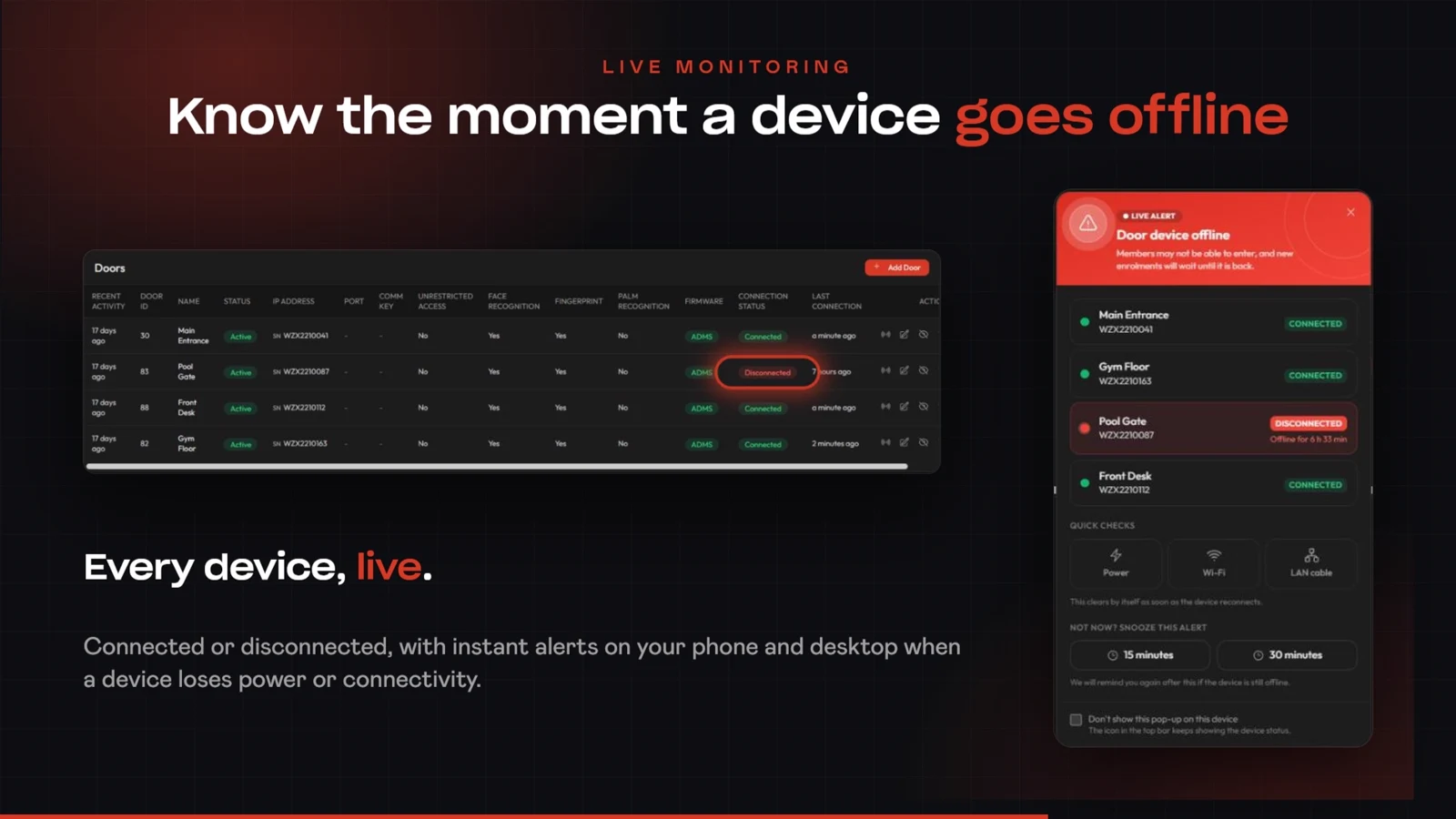
Because the gateway sees every device directly, Workzish now shows live connection status. If a device loses power or connectivity, the team sees a Door device offline alert with the device name and how long it has been offline, plus quick checks for power, Wi-Fi and the LAN cable.
The result
It worked. TMT's devices are connected through the Cloud Gateway with nothing in between, and the gym no longer depends on a local PC or middleware to keep door access in sync.
- Devices connect directly to the cloud
- No local BioTime, PC or middleware to maintain
- Automatic synchronization
- Live connected and disconnected status with offline alerts
Bring Cloud Gateway to your facility
Book a free demo and see it with your own devices.
Book Your Free DemoWhat this means for other facilities
Cloud Gateway was built for one gym, but nothing about it is specific to one gym. Any facility with ADMS-supported devices, power and an internet connection can use it. Read the full product overview in Door Access Control for Gyms: Run It Without a Local PC.